The Ultimate Guide to Virtual Team Building Games
Six fully scripted virtual game formats — from Company Trivia to Two Truths and a Lie Buzzer Edition — plus the dual-screen setup that stops participants from alt-tabbing during every answer.
2026-03-17 · 11 min read · BuzzerBug™ Team
Why Traditional Zoom Icebreakers Fail
Ask a room of remote workers what they think of virtual icebreakers and you will hear the same words: awkward, forced, pointless. The "share a fun fact" format has become a minor workplace trauma. Everyone either freezes trying to think of something interesting enough or recycles the same fact they've been sharing since 2020.
The problem is not that remote workers don't want to connect. They do. The problem is that passive sharing creates no stakes, no momentum, and no shared experience. When everyone watches each other talk in turn, the experience is less like bonding and more like a slow-rolling performance review.
Games work for the same reason sports work: shared stakes, clear rules, and a result that nobody controlled. The buzzer mechanic adds something passive icebreakers can never achieve — a moment where everyone simultaneously tries to be first, and only one person wins. That moment of collective tension and release is what creates genuine laughter and genuine memory.
The Dual-Screen Setup
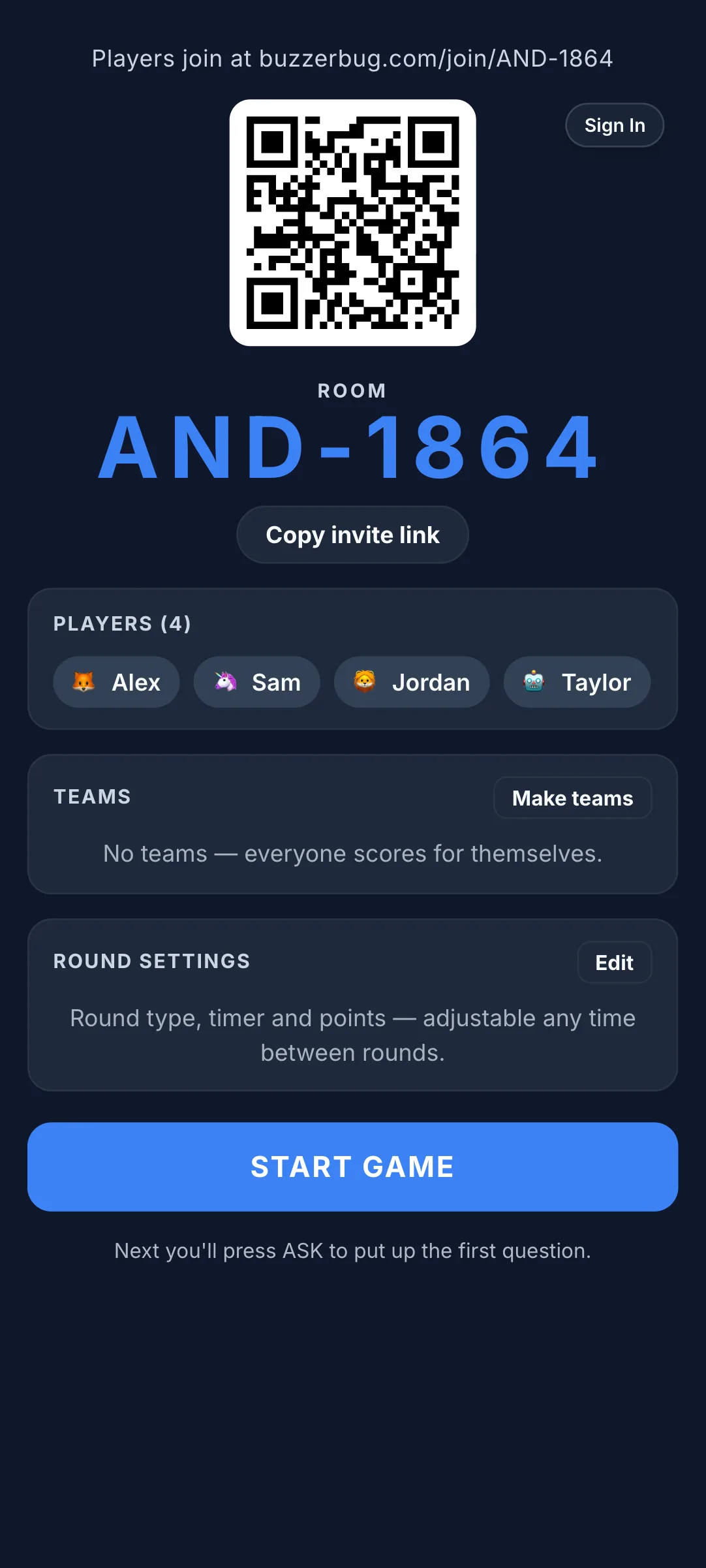
The single biggest technical mistake in virtual game hosting is asking participants to manage the game controller in the same browser as their video call. Switching tabs to buzz in while trying to hear the question through Teams is a guaranteed recipe for frustration.
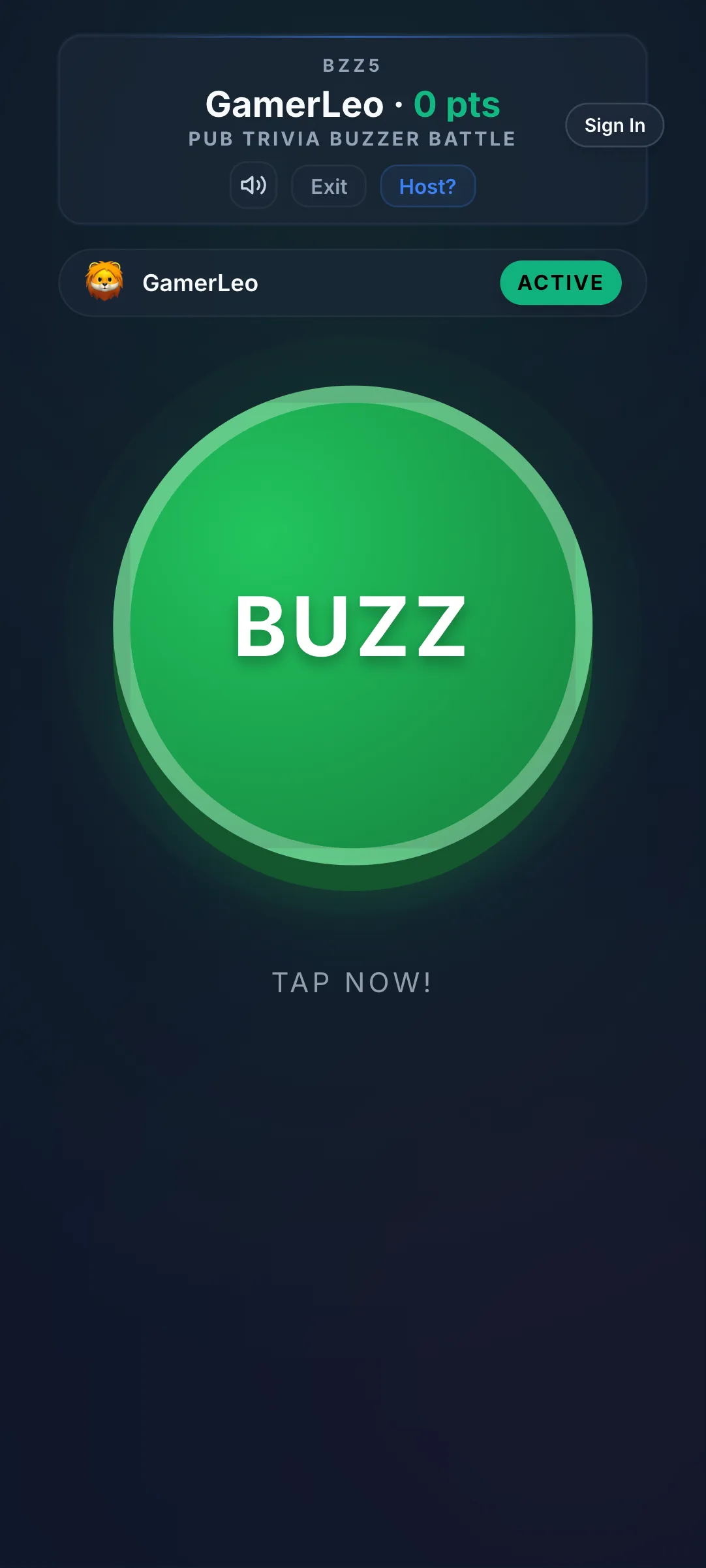
The solution is the dual-screen setup: the video call runs on a laptop or desktop, while the buzzer controller runs on a smartphone. This separation means participants never have to choose between seeing the host's face and tapping their buzzer. Their hands are always on the phone; their eyes are always on the main screen.
Host setup
- Open your video call (Zoom, Teams, Google Meet) on your main computer
- Share your screen to display the BuzzerBug TV view
- Open your BuzzerBug host panel in a second browser window (or on a tablet)
- Brief participants: "Open [room URL] on your phone — that's your buzzer"
This takes ninety seconds to explain and eliminates 80% of technical complaints.
Six Game Formats with Full Setup Instructions
1. Company Trivia Best for: onboarding new hires, all-hands meetings, team anniversaries Write twenty questions about your company's history, culture, and people. Include: founding year and story, the origin of the company name, embarrassing early product names, famous company wins and losses, internal memes or traditions. Mix serious ("What year did we open our second office?") with playful ("What is the name of the dog that comes to the office every Tuesday?"). New hires love this because it gives them context they'd never think to ask for. Veterans love it because they get to show off knowledge that otherwise feels worthless.
2. Name That Emoji Best for: energiser at the start of a long meeting, any team The host displays a sequence of three to five emojis on screen that represent a film, TV show, book, or song title. First person to buzz in with the correct answer wins the point. Example: plane + music notes + Italy flag = "That's Amore." This format requires zero preparation beyond a list of ten to fifteen emoji sequences. The collective "ohhh!" when the answer is revealed is an extremely reliable laughter trigger.
3. Two Truths and a Lie Buzzer Edition Best for: distributed teams who don't know each other well One participant reads their three statements. Instead of the usual casual discussion, other participants have thirty seconds to confer via chat, then everyone buzzes simultaneously — or the first person to buzz locks in their guess. Wrong guesses are penalised; correct guesses score. This version creates genuine tension because there is a cost to guessing wrong, which makes the reveal much more satisfying. Run four or five rounds using different participants each time.
4. Virtual Scavenger Hunt Best for: short energiser bursts, 15 minutes maximum The host calls out a category and participants race to physically retrieve an item and hold it to their webcam. First person to show a valid item buzzes in and wins the point. Categories that work well: "something older than you," "something from another country," "something that costs less than one dollar," "something that belonged to someone else." The physical movement breaks the sitting-at-a-desk monotony that Zoom calls create. Participants see into each other's homes in a low-stakes, funny context.
5. Image Caption Contest with Buzzer Judging Best for: creative teams, marketing and design departments The host displays a funny or ambiguous image. Participants have ninety seconds to type their best caption into the chat simultaneously. The host reads all captions aloud without attribution. Participants then vote by buzzing for their favourite — first ten buzzes count as votes. The caption with the most buzzes wins. Attribution is revealed at the end. This format works because writing is lower-pressure than speaking, and the anonymous voting prevents politeness from distorting the results.
6. Year in Review Best for: end-of-year events, quarterly reviews Write fifteen questions specifically about events that happened within your company or team during the past twelve months. "In which month did we hit our revenue target for the first time?" "What was the name of the client project that went spectacularly wrong in Q2?" The personal specificity of these questions produces a shared reflection that generic trivia cannot. It also subtly reminds participants of the things they accomplished, which is motivating in a way that a slide deck of highlights never is.
Facilitator Tips
Keep the game moving. The energy in a virtual game falls faster than in a physical room — if you pause to troubleshoot for more than sixty seconds, you have lost the room. Test everything thirty minutes before the session.
Designate a co-host to monitor the chat for technical problems while you focus on delivery. In a room of twenty people, someone will always have a connection issue or struggle with the buzzer URL. The co-host can handle this in direct messages without disrupting the game.
Build in three genuine laughs per session. "Genuine" means unscripted — a surprising answer, an unexpected factoid, a ridiculous wrong guess. If you are writing questions that are all serious and testable, you are running a quiz, not a game. The funniest moment in the session is what people mention when you ask them what they thought of it.
Follow-Up Ideas
Send a highlight reel in the team Slack or email after the session — two or three memorable moments, the final leaderboard, and the question that stumped everyone. This extends the experience beyond the session and gives people who couldn't attend a reason to want to join next time.
Consider awarding the winning team a genuine prize: a gift card, an extra half-day off, the right to name next month's game format. Stakes, even tiny ones, make the competition feel real.
Since these quizes requrie creator panel, please reach out to Buzzerbug support to add access to this feature.
Ready to Play?
Create a free game room in seconds. No download, no account needed for players.
Start a Free Quiz Game