How to Host a Living Room Game Show: The Ultimate House Party Trivia Guide
Turn your living room TV and guests' smartphones into a high-stakes, laughter-filled game show in under 5 minutes. Couch layouts, 20-minute party pacing, drink-and-snack pairings, and buzzer rules that keep non-trivia nerds engaged.
2026-08-29 · 11 min read · BuzzerBug Editorial Team
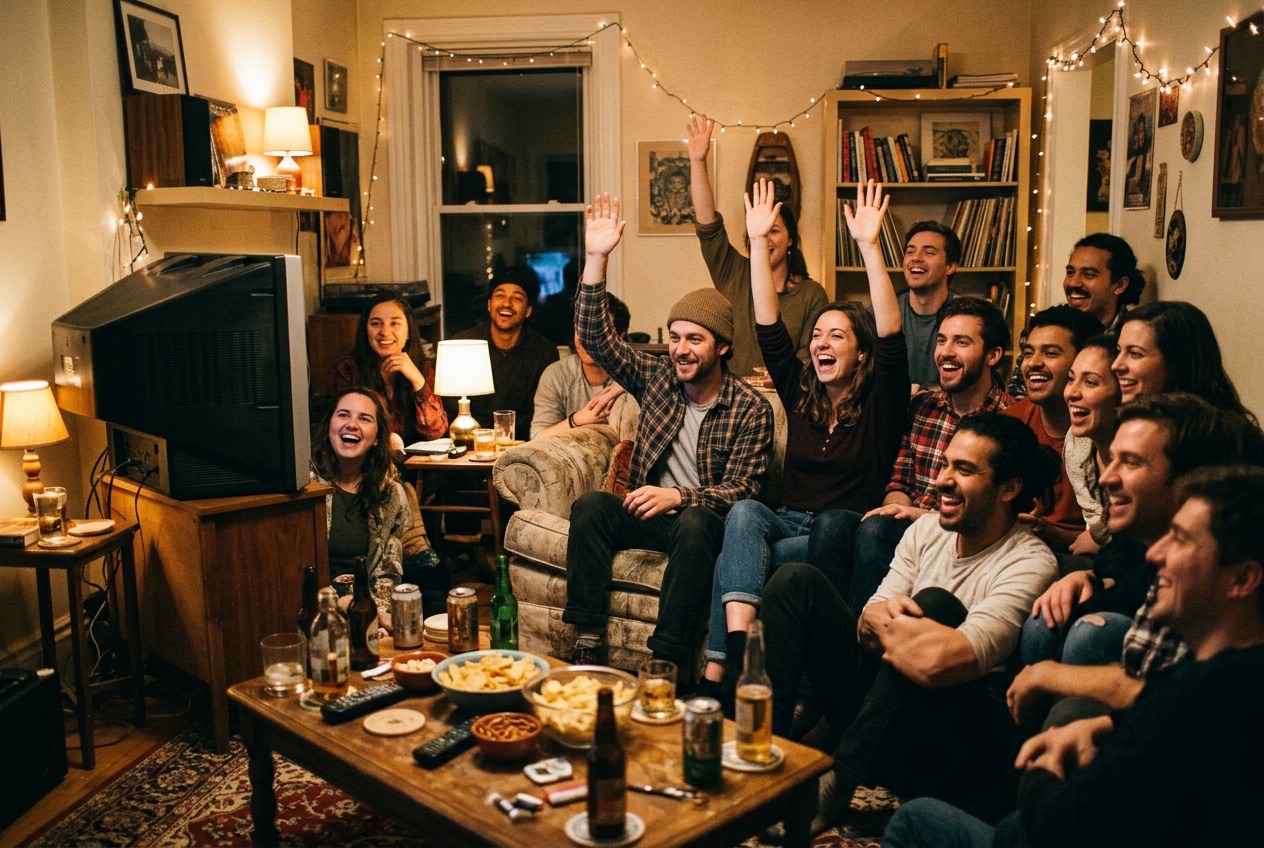
Turning the Living Room into a Game Show Arena
Every party host knows the 45-minute wall.
Guests arrive, drinks are poured, coats are hung, and the initial wave of catching-up flows effortlessly: "How is work?", "Have you seen the new house?", "How was your trip?" But around the 45-minute mark, that initial conversational fuel burns down. Small-talk stalls. Pockets of guests drift toward their phones, people hover awkwardly around the kitchen island, and the host begins wondering if they should put on another Spotify playlist.
Traditional solutions usually fail:
- Card and board games: Pulling out a complex boxed board game halts the entire party. Explaining 15 pages of rules while twelve people stand around with cocktails kills momentum instantly.
- Passive TV watching: Putting on a football game or movie splits the room into zombies staring at the screen and people having isolated conversations in the corner.
The answer is turning your living room into an interactive, fast-paced living room game show. When everyone’s attention is focused on a shared screen, and everyone’s hands hold a responsive digital buzzer on their phone, the entire energy of the house flips. Introverts shine, casual guests erupt in laughter, and competitive drama takes over the room.
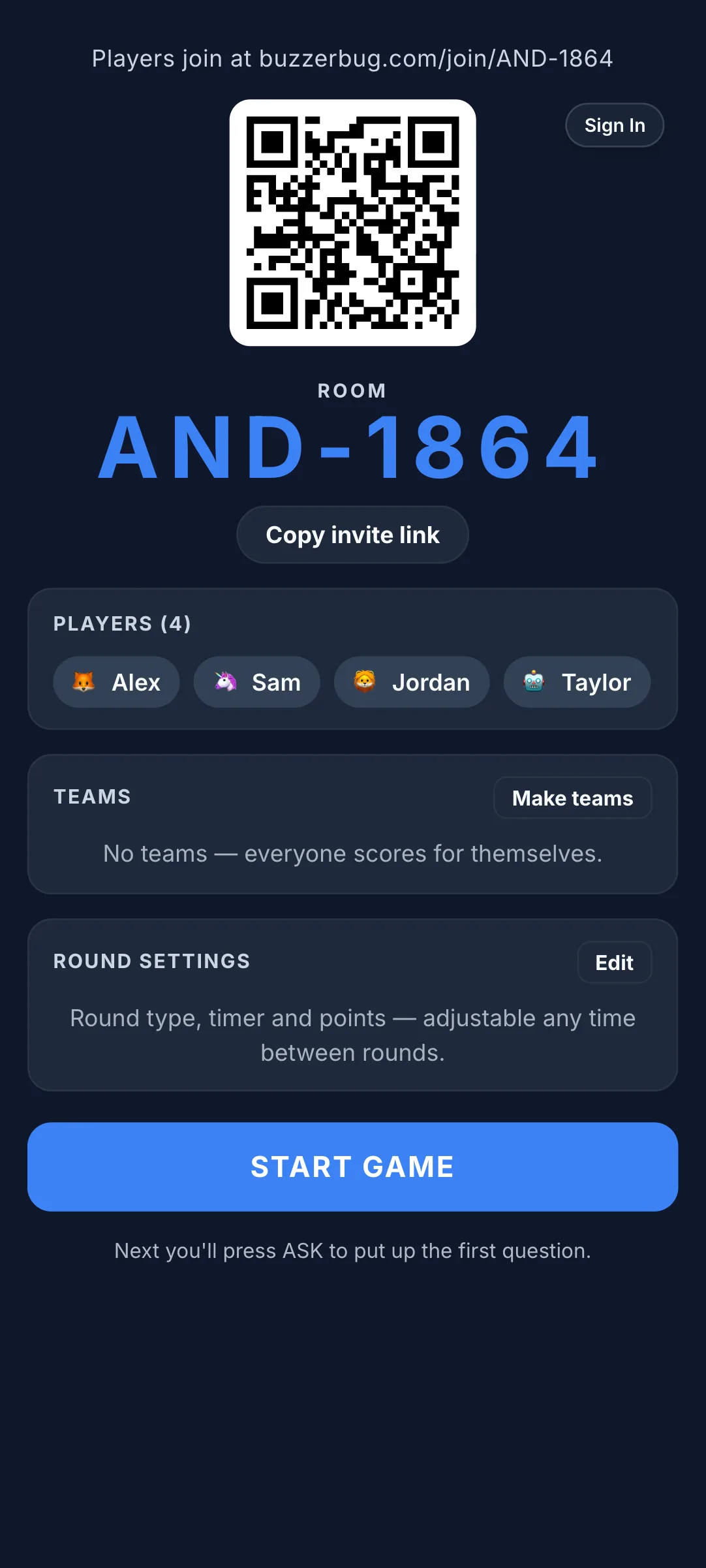
Here is a step-by-step playbook for transforming any casual get-together into a legendary house party game night—with zero app downloads, no plastic hardware, and zero rulebook friction.
1. The Living Room Setup: Technology & Sightlines
The golden rule of house party gaming is zero barrier to entry. If a guest has to download an app from the App Store, create an account, or confirm their email address, 40% of the room will opt out before round one begins.
BuzzerBug is designed for living rooms: one shared display on the wall, and web-based phone controllers in guests' hands.
Connecting the TV Display (The Spectator Screen)
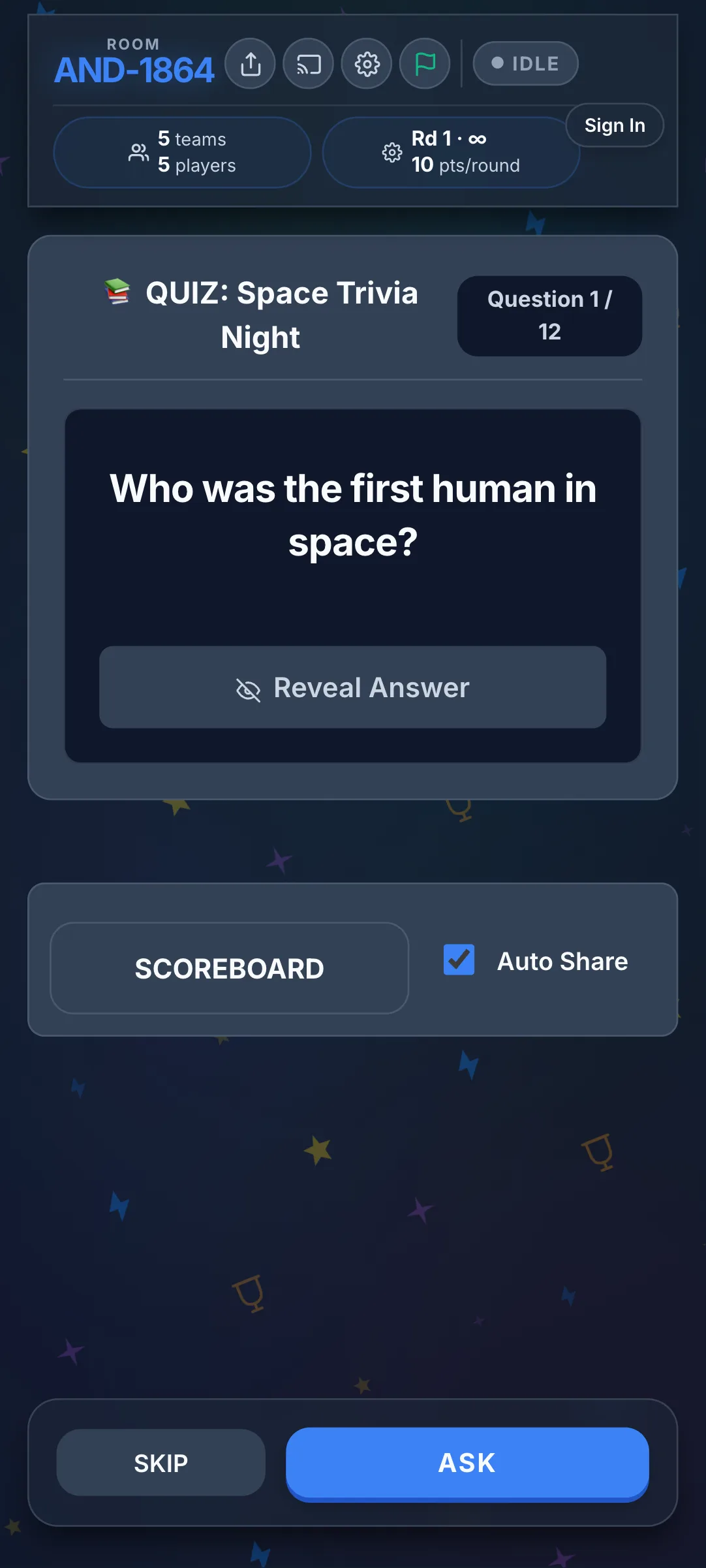
Your television acts as the central game show board. You want everyone looking up at the TV between questions.
- Option A (Wireless Casting): Cast your laptop or tablet browser tab directly to your TV via Apple AirPlay, Google Chromecast, or your Smart TV's native browser.
- Option B (Direct HDMI): For guaranteed zero latency and crisp audio, run an HDMI cable from your laptop directly to the TV.
Once connected, open the dedicated spectator view at /tv/:roomCode. This screen displays the active question, the large animated countdown timer ring, participation tallies, and the real-time leaderboard.
The Couch Layout: The Semi-Circle Arena
Arrange your furniture so that every guest has an unobstructed line of sight to the television without twisting their necks:
- Pull side chairs and barstools inward to form a horseshoe or semi-circle facing the TV.
- Scatter floor cushions or poufs around the coffee table for casual overflow seating.
- Keep the coffee table clear of tall decor so guests seated behind it can see the lower third of the TV screen.
Onboarding Your Guests in 30 Seconds
When your room is ready, announce:
"Alright everyone, grab your drink and pull up a seat. Look at the TV, scan the QR code with your phone camera, type your name, and tap Join. No app to download."
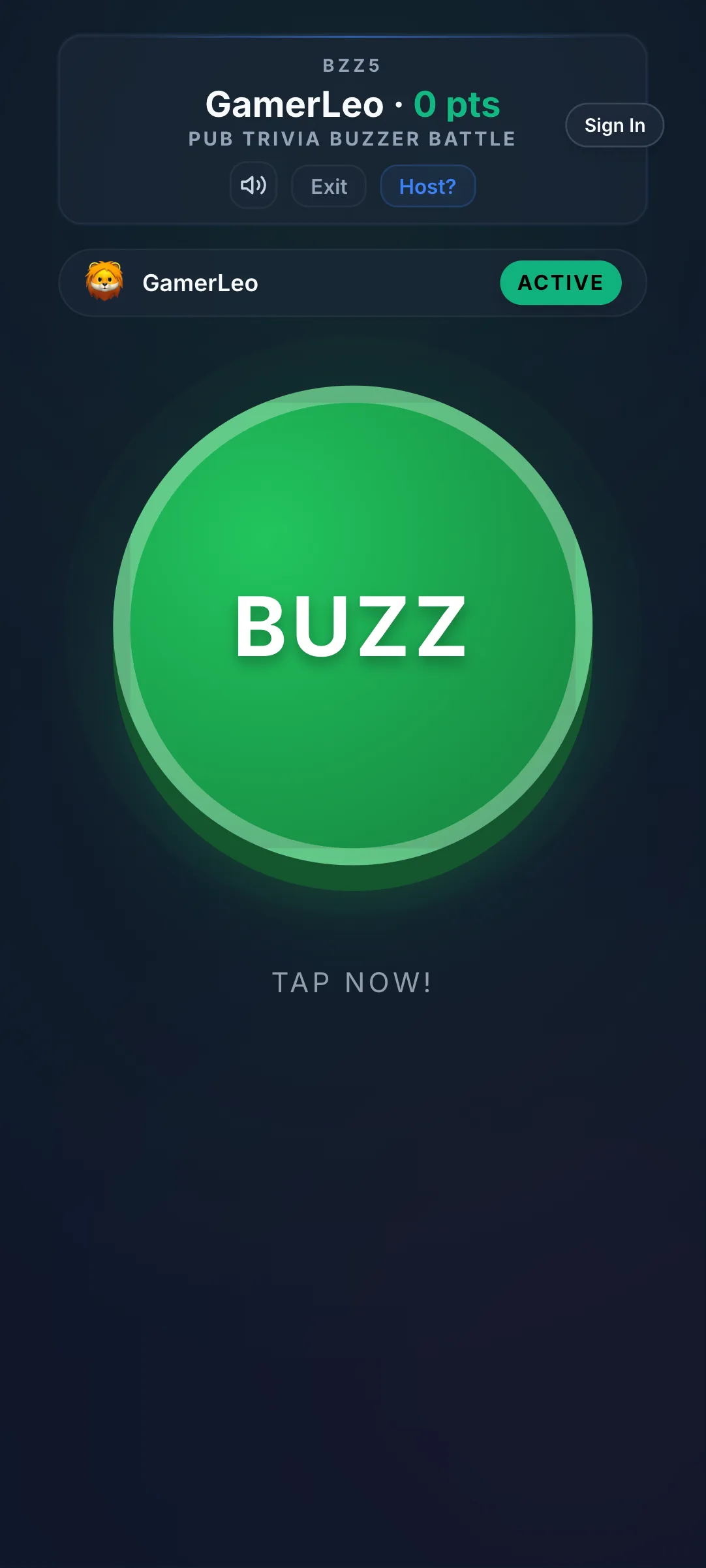
Because BuzzerBug runs directly in the mobile browser, twelve guests can connect in under thirty seconds. Their phones instantly transform into high-contrast buzzers that vibrate or chime upon tapping.
2. Pacing a Party: The 20-Minute Golden Rule
The single biggest mistake amateur hosts make is running a 90-minute trivia marathon. A house party is not a college exam; people need to refresh drinks, visit the bathroom, chat about funny answers, and grab food.
The battle-tested party rhythm is three 15-to-20-minute rounds separated by 10-to-15-minute social intermissions:
| Phase | Duration | What Happens | Party Dynamic |
|---|---|---|---|
| Round 1: The Warm-Up | 15 minutes | 8 easy/medium pop-culture questions | Breaks the ice; lets guests calibrate their buzzers and settle nerves. |
| Intermission 1 | 12 minutes | Drinks, bathroom break, snacks | Guests debate hilarious wrong guesses from Round 1; chatter ignites. |
| Round 2: The Themed Sprint | 18 minutes | 10 medium questions (Visual or Music) | Competition heats up; leaderboard shifts; teams taunt each other. |
| Intermission 2 | 15 minutes | Dessert, cocktail refill | Tension builds as the top three leaders realize they can win the night. |
| Round 3: The Finale | 15 minutes | 8 difficulty-weighted questions + Wager | High-stakes drama; sudden-death tiebreaker; champion crowned. |
3. Balancing the Room: Keeping Non-Trivia Nerds Engaged
Every friend group has at least one "trivia encyclopedia" who knows every Oscar winner since 1940 and the capital of every African nation. If your game format rewards only encyclopedic recall, your casual guests will mentally surrender after round one.
To create an electric atmosphere where everyone can win, use these structural game mechanics:
Use "Everyone Answers" Mode (Multi-Winner)
Instead of the classic first-to-buzz lockout format where fast fingers dominate, toggle BuzzerBug to Everyone Answers (Multi-Winner) mode for the first two rounds.
Every player submits their answer privately on their own phone within the 30-second countdown. Every correct player earns points. This guarantees:
- Slower thinkers and introverts are never shut out.
- Nobody feels publicly embarrassed if they miss an answer.
- The room erupts when the answer is revealed, because ten people discover simultaneously whether they were right or wrong.
Include Closest-Guess Estimation Questions
Estimation rounds are the great equalizer. Ask questions where nobody knows the exact number:
- "In what year was the first text message sent?" (Answer: 1992)
- "How many stairs are in the Eiffel Tower to the top?" (Answer: 1,665)
- "What is the top speed of a cheetah in miles per hour?" (Answer: 70 mph)
Players use an interactive slider on their phones to lock in their best guess. Points are awarded on a sliding scale based on proximity. A player trailing in 8th place can rocket up the leaderboard simply by having good intuition.
4. Food, Drink, and Atmosphere Pairings
Elevate your game show from a casual get-together into an event by curating the sensory atmosphere:
Finger Foods Only (The One-Handed Rule)
Remember that your guests will have a smartphone in one hand for their buzzer. Serve snacks that can be eaten cleanly with a single hand:
- Charcuterie skewers (olives, cheese cubes, cured meats)
- Pre-cut flatbread bites
- Spiced popcorn in individual paper cups
- Pretzel bites with warm beer cheese dip
Avoid messy chicken wings, powdery chips that smudge screens, or foods requiring a fork and knife.
Themed Cocktails
Mix a signature batch cocktail before guests arrive so you aren't stuck bartending during the game:
- "The Final Answer" Punch: Spiced rum, apple cider, ginger beer, and orange slices.
- "The Buzzer Beater" Paloma: Tequila, fresh grapefruit juice, lime, and sparkling soda.
5. Four Battle-Tested House Party Round Formats
Drop these four proven round concepts directly into your next house party:
Round 1: The "Name That Meme & Pop Culture" Sprint
- Mechanic: Everyone Answers, 25-second timer.
- Questions: Recent viral internet moments, celebrity scandals, and iconic TV quotes.
- Why it works: Immediate shared cultural recognition. Nobody needs a history degree to know what went viral on TikTok last month.
Round 2: The Cropped TV & Film Visual Round
- Mechanic: Display cropped screenshots or blurred posters on the TV screen.
- Example: Show a 2-second snippet of an iconic movie house (e.g. the Home Alone McCallister house or the Breaking Bad residence) and let guests buzz to identify the title.
- Why it works: Visual puzzle-solving stimulates dual coding and gets people shouting across the room.
Round 3: The Pop Music Lyric Finish
- Mechanic: Read or play the first two lines of a legendary party anthem (e.g. Bon Jovi, Queen, Britney Spears, or Journey), cut the audio, and prompt players to select or buzz the exact next lyric.
- Why it works: Inevitably leads to the entire living room singing the chorus together at full volume.
Round 4: The Final High-Stakes Wager Showdown
- Mechanic: Save this for the 10th question of the final round. Before the question is shown, players wager up to 50% of their accumulated points based only on the category name (e.g., "Category: 90s Blockbusters").
- Why it works: Massive psychological tension. A runaway leader can lose it all on a bold guess, allowing an underdog to steal the championship trophy on the final buzzer.
6. House Rules That Prevent Drama
To keep the night competitive but friendly, announce three simple house rules before question one:
- The Host’s Word Is Law: If there is a debate over a technicality or typo, the host has final editorial veto. No appeals, no Reddit debates.
- Phone Etiquette: Phones are strictly buzzers. Any guest caught searching Google, opening Safari, or checking sports scores is docked 50 points and sentenced to refill everyone's drinks.
- No Penalty for Wrong Guesses: Keep negative scoring turned off for house parties. A guest who slips into negative points checks out emotionally; keeping scores positive keeps everyone smiling.
Summary: Your Living Room Quickstart Checklist
- [ ] Screen Connected: Test your laptop cast or HDMI cable to the living room TV.
- [ ] Audio Checked: Ensure buzzer chime sounds and timer ticks play clearly through TV speakers or a soundbar.
- [ ] Room Created: Generate a free 10-question room at BuzzerBug Host or pick from our ready-made pop culture bundles.
- [ ] One-Handed Snacks Prepped: Finger foods and batch drinks ready on the side table.
- [ ] Furniture Arranged: Semi-circle couch seating with clear sightlines.
- [ ] First Round Queued: Everyone Answers mode selected for the warm-up round.
Ready to turn your next weekend get-together into an epic game show? Create a free BuzzerBug room and launch your living room showdown in seconds.
Ready to Play?
Create a free game room in seconds. No download, no account needed for players.
Start a Free Quiz Game