Level Up Your Trivia Night
2026-06-13 · 5 min read · BuzzerBug™ Team
Level Up Your Trivia Night: How to Host the Ultimate Game Show with BuzzerBug
If you’ve ever tried to host a trivia night, a corporate icebreaker, or a competitive holiday party, you know the biggest hurdle is usually the tech. Native apps need to be downloaded, accounts must be created, and before the game even starts, half the players have lost interest.
Enter BuzzerBug, a real-time, web-based game show buzzer system that solves these problems instantly. By turning any smartphone, tablet, or laptop into a competitive game controller with zero app downloads, it lets you focus on what actually matters: the competition.
Whether you are a professional trivia host running a pub game or just trying to settle a debate with friends over who knows more about 90s sitcoms, here is how to maximize the fun using BuzzerBug.
Why BuzzerBug is a Game-Changer for Group Events
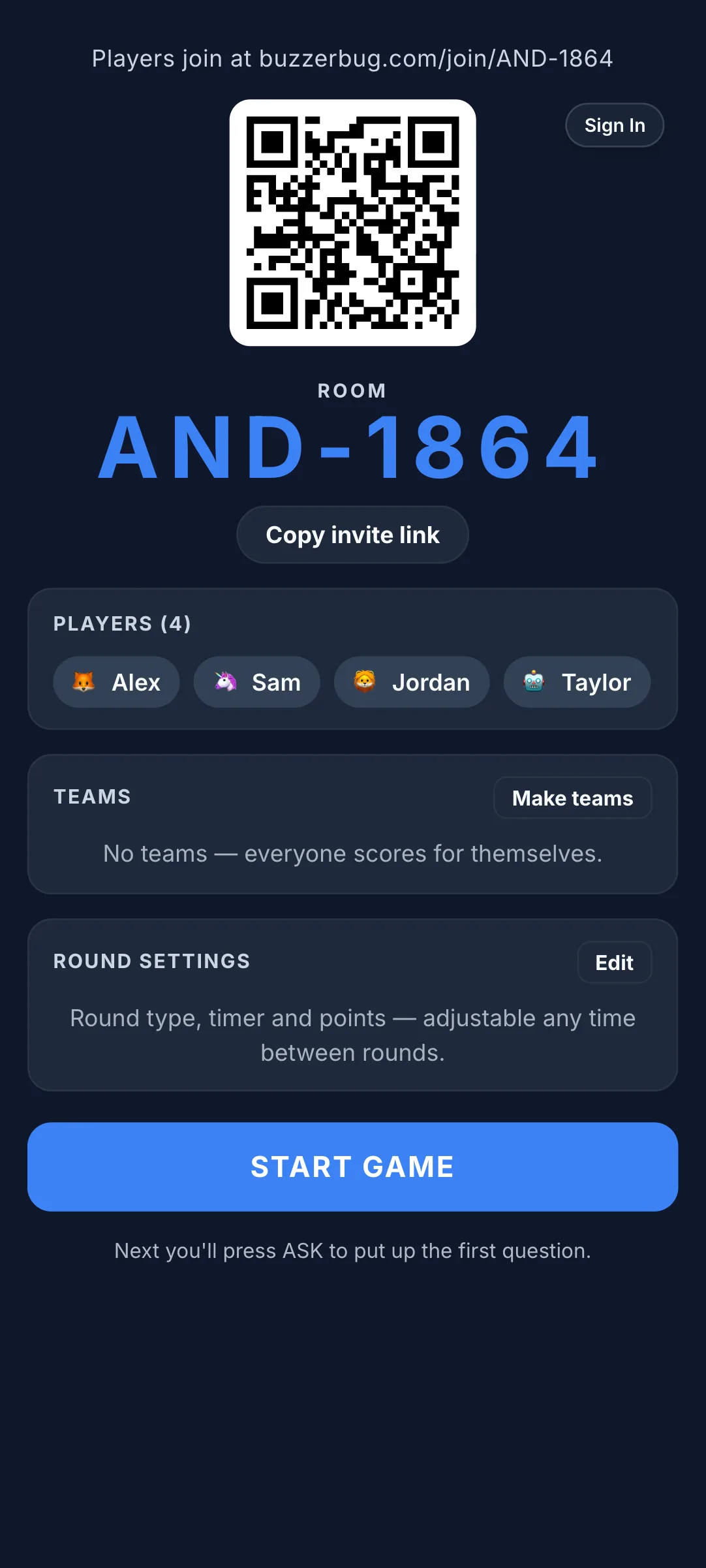
Before diving into the quizzes, it's worth understanding why this specific platform works beautifully for crowds of any size:
- Frictionless Entry: With BuzzerBug, there is absolutely no app to install. Players just scan a QR code on your main screen or visit the site and enter a simple 4-to-6 character room code to join securely.
- The Ultimate Argument Settler: The platform registers buzzes in milliseconds. This means the technology decides with pinpoint accuracy who buzzed in first — completely eliminating the classic "I was first!" arguments that inevitably derail competitive games.
- Customizable Aesthetics: The platform allows you to customize the vibe of your room. You can switch up the visual aesthetics with themes like Cyberpunk or Tron to match the energy of your event.
- Cross-Device Compatibility: It works seamlessly on iPhones, Androids, iPads, or even an old laptop. If the device has a modern web browser, it operates flawlessly as a buzzer.
Exploring the Quizzes: Endless Trivia Possibilities
BuzzerBug isn't just a blank buzzer; it provides incredible flexibility for the actual games you play. There are multiple ways to source your quizzes, ensuring the content is perfectly tailored to your crowd.
1. AI-Generated Quizzes (The Magic Wand)
This is where BuzzerBug shines for party hosts and event organizers. The platform features an "AI Generate Quiz" tool that acts like your personal game show writer.
- For Themed Parties: Hosting a movie night? Generate an Oscar-history quiz in seconds.
- For Corporate Teams: Build an icebreaker around industry facts or general pop culture that levels the playing field. The AI can instantly build a challenging, multi-question game based on any hyper-specific prompt you give it.
2. The "Daily Drop" Challenges
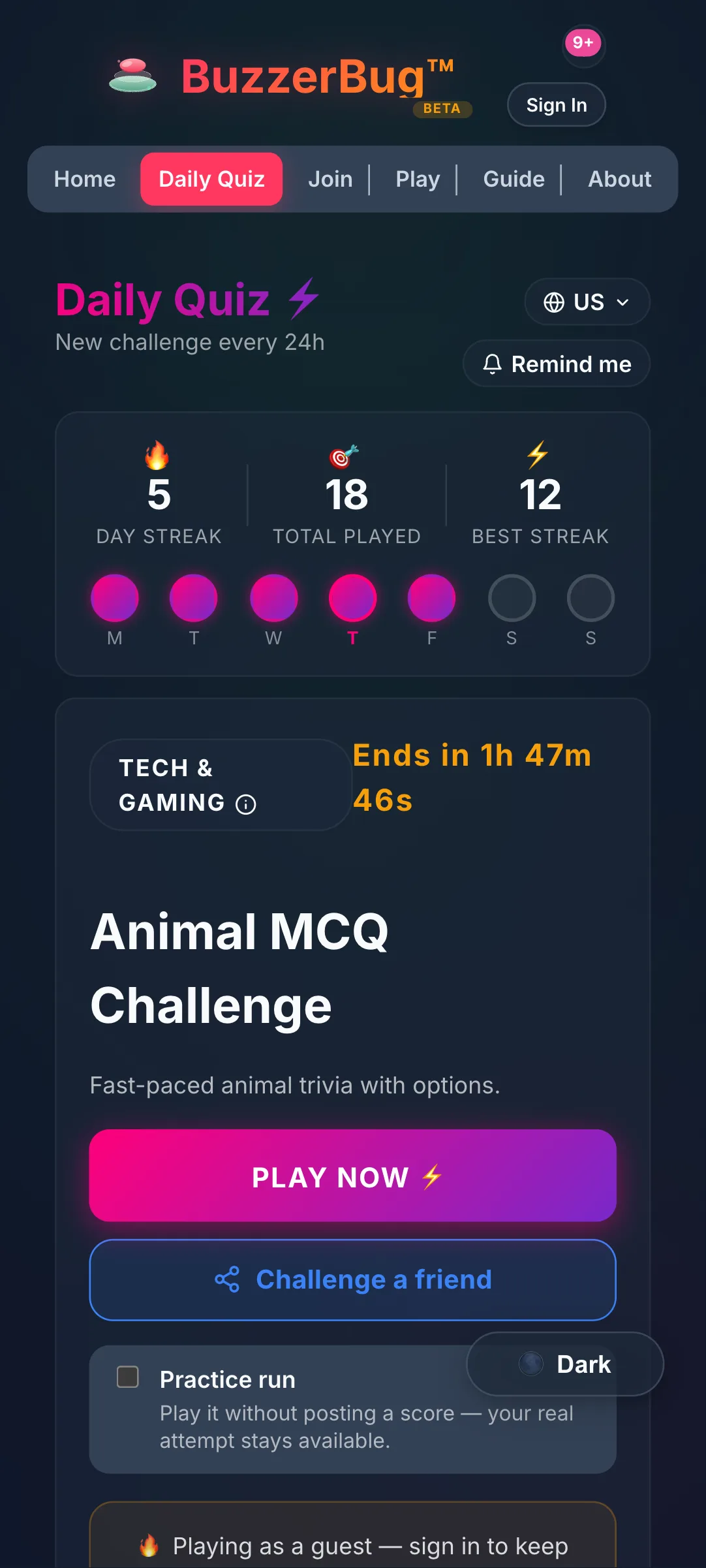
For a quick, ready-to-play experience, BuzzerBug features a Daily Drop — a new, themed challenge generated every 24 hours. Topics range from US History & Geography to Tech & Gaming (like MLB Stadiums or video game history). These are perfect for a quick warm-up before a larger trivia game, or for a fast-paced 10-minute competition among friends.
3. Custom Manual Games
If you already have your own list of questions — whether it's a traditional pub trivia format, a custom game about the guest of honor at a birthday, or inside jokes for a bachelor party — you can run a manual game. You control the flow, read the questions aloud, and manually award points when players buzz in with the right answer.
Step-by-Step: How to Host a Seamless Match
Ready to play? Here is how to set up the perfect game in under two minutes:
- Set Up the Main Screen: Go to BuzzerBug.com on a computer, smart TV, or projector. This will be your "Host" screen that everyone in the room can see.
- Create a Free Room: Click to create a room. You’ll be given a unique, short room code.
- Choose Your Visuals: Go into the settings and switch the visual theme to match the vibe of your event.
- Select Your Content: Decide if you want to use the AI to generate a fresh quiz, pull up a Daily Drop, or run your own manual questions. You can choose to act as the host yourself, or let the platform's "AI Host" run the flow for you.
- Connect the Players: Have everyone pull out their phones. They simply go to the website and type in the room code (or scan the QR code on your host screen).
- Play: Read the question, watch the room scramble to hit their digital buzzers, and award points to the fastest correct answer!
BuzzerBug takes the traditional, passive experience of answering trivia and injects the high-stakes energy of a TV game show into the room. Because it comfortably handles up to 100 buzzers at once without lag, it scales effortlessly from a small living room gathering to a packed event hall.
Ready to Play?
Create a free game room in seconds. No download, no account needed for players.
Start a Free Quiz Game